
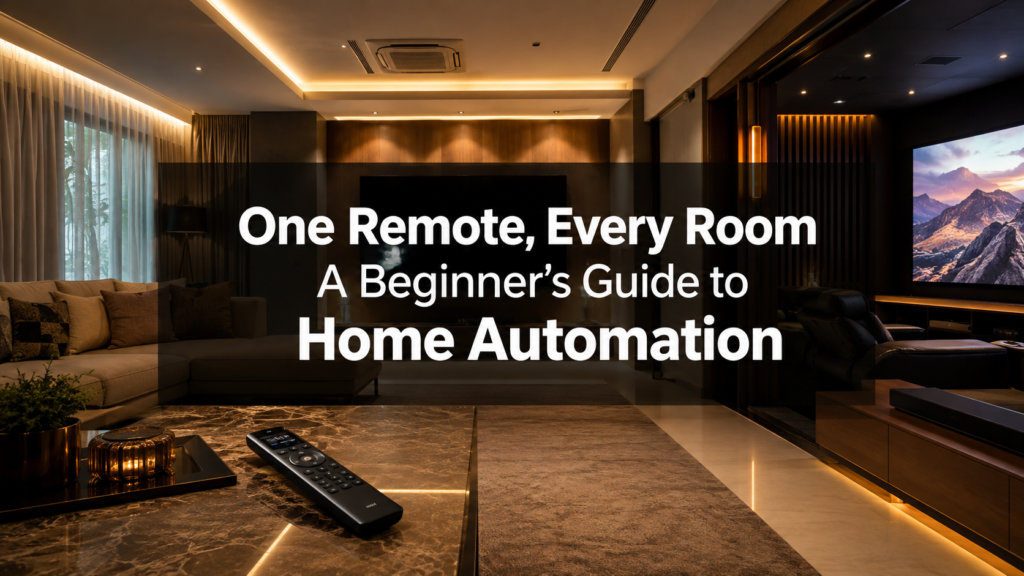
“One remote for everything” is the promise behind every home automation pitch, and it’s genuinely achievable, but it’s worth understanding what that actually means before you buy anything. A proper automation system isn’t a universal remote that replaces five other remotes with one that does the same five jobs. It’s a system that turns “turn off the lights, dim the ones near the screen, switch the AV receiver to Blu-ray input, and close the curtains” into a single button press. Here’s how that actually works, and what to think about before adding it to a home theatre build.
What Home Automation Actually Controls
At a functional level, a whole-home system typically brings together:
- Lighting: dimming, on/off, and colour temperature across every room, not just individual switches
- Climate: AC and thermostat control, often room-by-room or zone-by-zone
- AV: source switching, volume, and power across your TV, projector, AV receiver, and streaming devices
- Shading: motorised curtains or blinds, if installed
- Security and access: cameras, door locks, and alarm status, in more comprehensive systems
The value isn’t controlling any one of these individually, you can already do that with a normal remote or a wall switch. The value is controlling all of them together, in a sequence, with one action.
The Core Idea: Scenes, Not Switches
This is the concept that actually makes automation useful day to day. Instead of thinking device by device, a good system is built around scenes, a saved combination of settings across every connected device, triggered by a single button, app tap, or voice command.
A “Movie Night” scene, for example, might simultaneously: dim the room lights to 10%, switch on the accent lighting behind your acoustic panels, close the curtains, switch the AV receiver to the right input, and power on the projector. One press. That’s the actual “one remote” experience, not a universal remote with fifty buttons, but a handful of scene buttons that each do several things at once.
Hub-Based vs. Point Solutions: A Common Confusion
This trips up a lot of first-time buyers, similar to how people often confuse soundproofing with acoustic treatment. There are two very different approaches to “smart home”:
- Point solutions: a Wi-Fi smart plug here, a smart bulb there, a video doorbell from a different brand. Individually useful, cheap to start with, but they rarely talk to each other well, and building genuine cross-device scenes across mismatched apps and ecosystems is clumsy at best.
- Hub-based (integrated) systems: a dedicated processor and unified platform (Crestron being the most capable and widely used in premium installations) that natively controls lighting, AV, and climate as one coordinated system, with proper scene programming and a single consistent interface for every family member.
If your goal is genuinely “one remote, every room,” a hub-based system is the only approach that reliably delivers it. Point solutions are fine for a single room or a starting budget, but they don’t scale into the kind of coordinated, whole-home experience most people actually picture when they hear “home automation.”
Wired vs. Wireless: What Matters for Indian Homes
This is a genuinely important decision, and it depends heavily on whether you’re building new or retrofitting an existing home:
- New construction or full renovation: wired control (dedicated low-voltage cabling to keypads, lighting dimmers, and AV points) is significantly more reliable long-term than wireless, with no interference issues and no batteries to replace. This is the right call if you have the opportunity, since running this wiring during construction costs relatively little compared to opening up finished walls later.
- Retrofitting a finished apartment: wireless (RF- or Wi-Fi-based) automation avoids any wall-opening at all, and modern systems are considerably more reliable than earlier generations. It’s the practical choice for most apartment retrofits in Hyderabad, and a competent integrator can still build proper cross-device scenes on a wireless backbone, you’re trading a small amount of long-term reliability for a dramatically simpler installation.
Choosing a Platform: What the Options Actually Mean
Without turning this into a spec-sheet comparison, it’s worth understanding roughly where the major platforms sit:
- Crestron: the most powerful and customisable platform, capable of controlling AV, lighting, HVAC, and security as one deeply integrated system. It’s the right choice for larger homes, dedicated cinema rooms, and anyone who wants a fully bespoke setup rather than a standardised template. It typically requires more specialised installation and a higher budget than consumer-grade alternatives.
- Consumer smart-home ecosystems (Google Home, Alexa, etc.): genuinely useful for a single room or a starting point, with a much lower cost of entry, but they’re generally not built for the same level of coordinated, whole-home scene programming that a dedicated system like Crestron delivers.
Most of our home automation projects in Hyderabad start with the rooms people actually use daily, the living room and home theatre. rather than the entire house at once, which keeps the initial cost manageable while still delivering the “one remote” experience where it matters most.
What This Typically Costs
For a single room (say, a home theatre plus adjoining living area) with lighting, AV, and curtain control on a proper hub-based system, budget roughly ₹1.5L–₹3L in Hyderabad, depending on the number of lighting circuits, whether shading is included, and wired vs. wireless installation. Extending the same system to additional rooms scales from there, most homeowners add rooms incrementally rather than automating an entire house on day one.
Plan for It Early, Even If You Build It Later
The single most common regret we hear: not running the extra wiring during initial construction or renovation, even for automation features added months or years later. Pulling a few additional low-voltage cables while walls are already open costs very little; opening a finished wall or ceiling afterward to add the same wiring is a genuinely bigger, messier job. If automation is even a possibility for your home, it’s worth deciding on the wiring plan upfront as part of your home theatre installation in Hyderabad project, even if you don’t activate every scene on day one.
Frequently Asked Questions
Do I need Crestron, or will smart plugs and a Google Home be enough?
It depends on scope. For a single device or room, consumer smart-home products work fine and cost far less. For genuine whole-home, multi-device scenes, the actual “one remote” experience, a dedicated hub-based platform like Crestron is a meaningfully better foundation.
Can I add automation to an existing home theatre without rewiring?
Yes, in most cases. Wireless automation systems can control lighting, AV switching, and curtains without opening walls, though a wired system installed during any future renovation will always be more reliable long-term.
What’s a “scene,” exactly?
A saved combination of settings across multiple devices, lighting level, AV input, curtain position, and so on, triggered by a single button or command instead of adjusting each device individually.
Is home automation worth adding to a home theatre budget?
For most people, yes, if it’s scoped to the room you actually use daily. A single “Movie Night” scene covering lights, curtains, and AV switching is a relatively small add-on cost compared to the speakers and projector, and it’s the single upgrade most clients say they use every time they watch something.